Why connect Zapier?
Zapier allows you to connect FwdSlash with thousands of applications without writing any code. By automating workflows between FwdSlash and your existing tools, you can streamline repetitive tasks, keep your systems in sync, and respond to customer interactions more efficiently. Whether you’re managing leads, updating your CRM, sending notifications, or triggering AI conversations from external applications, Zapier makes it easy to build automated workflows around your FwdSlash chatbot.Before you begin
Before connecting FwdSlash to Zapier, ensure that:- You have access to your FwdSlash workspace.
- You have a Zapier account.
- You have permission to generate API keys in your FwdSlash workspace.
Generate your API Key
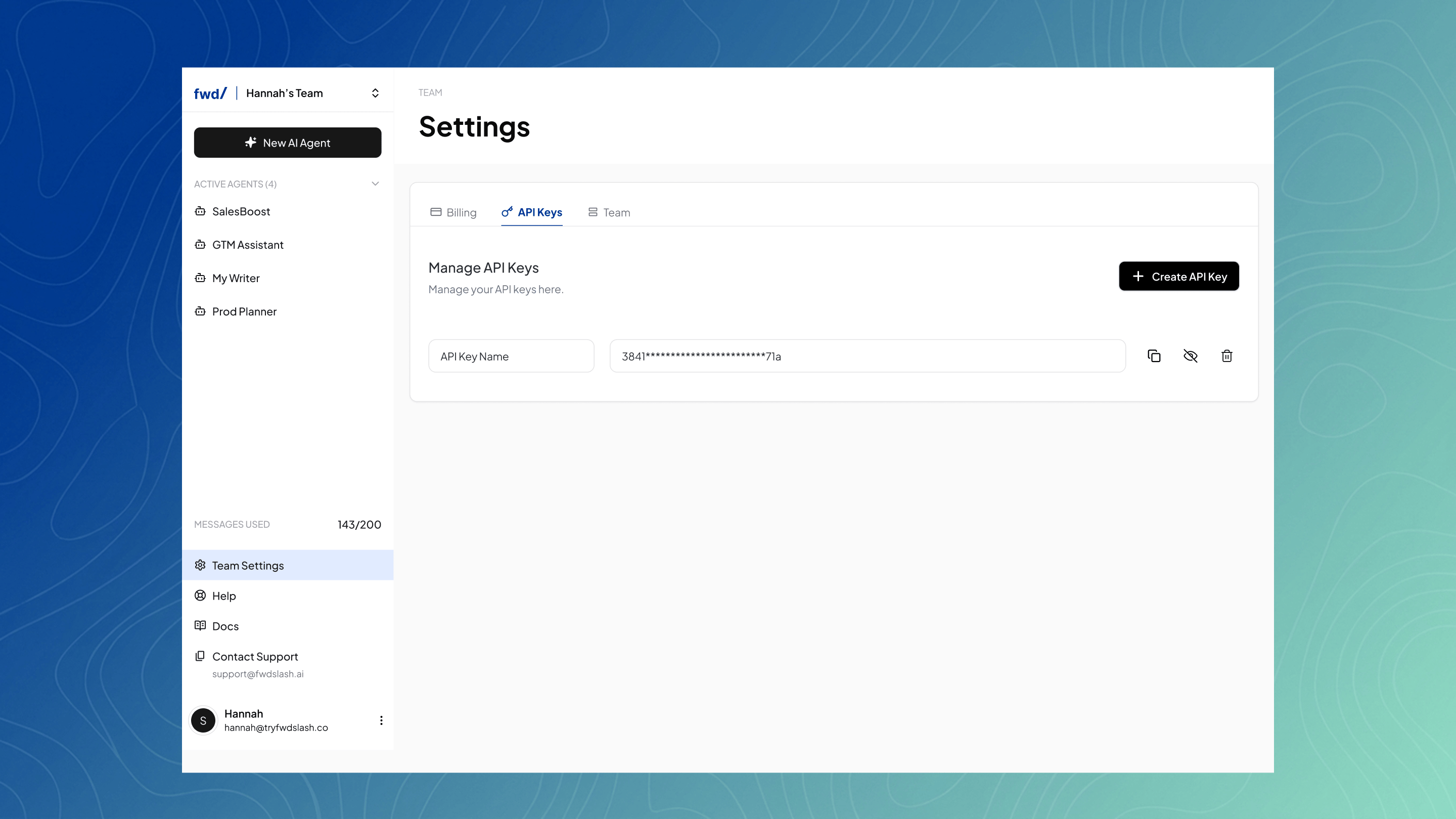
To connect FwdSlash with Zapier, you’ll first need to generate an API key.- Sign in to your FwdSlash workspace.
- Navigate to Team Settings.
- Select API Keys.
- Click Generate API Key.
- Copy the generated API key and keep it secure.
Connect FwdSlash to Zapier
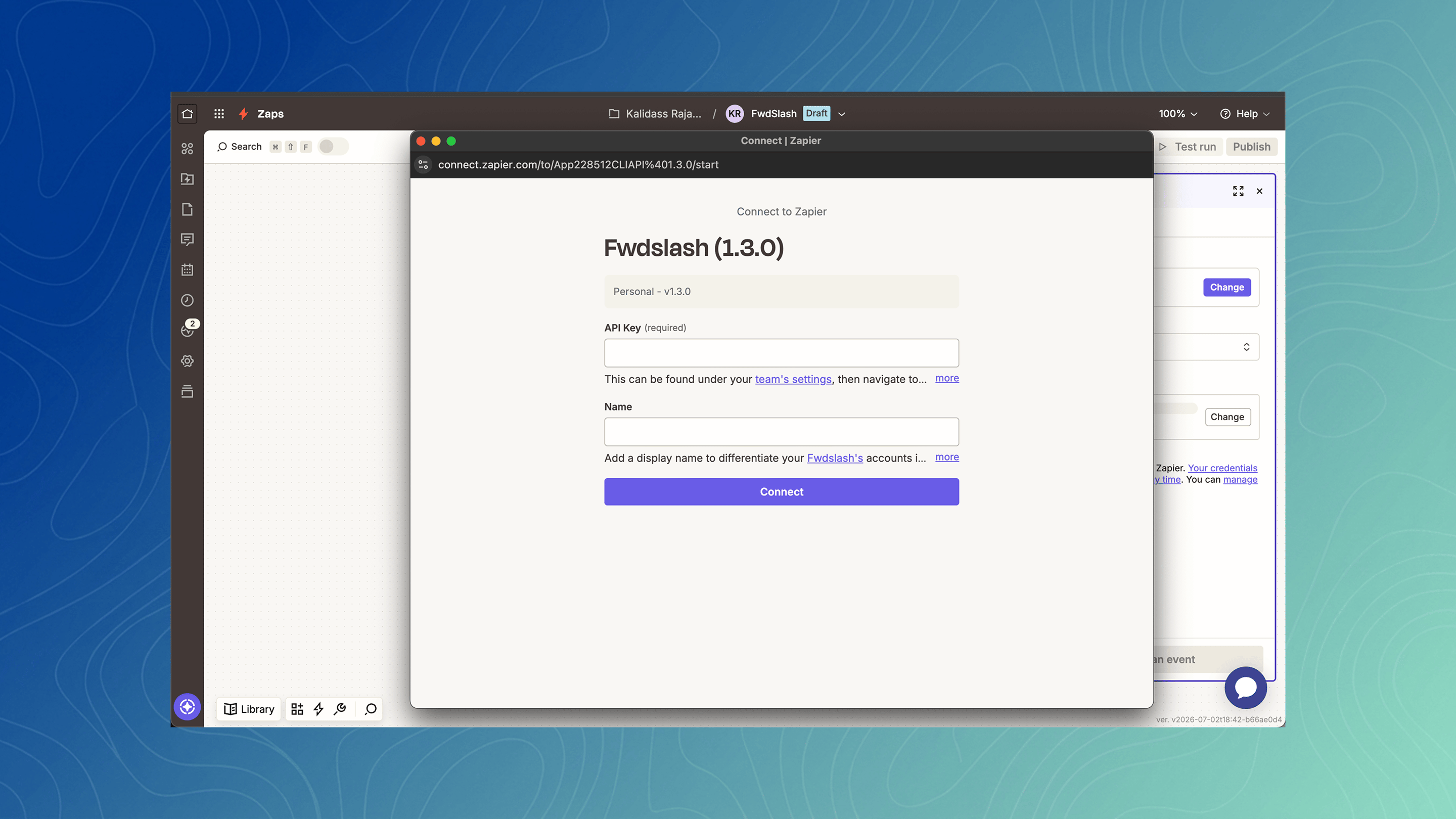
- Create a new Zap in Zapier.
- Search for FwdSlash as your app.
- Choose either a Trigger or an Action depending on your workflow.
- When prompted, paste the API key generated from your FwdSlash workspace.
- Test the connection to verify that your account has been successfully connected.
Available Trigger
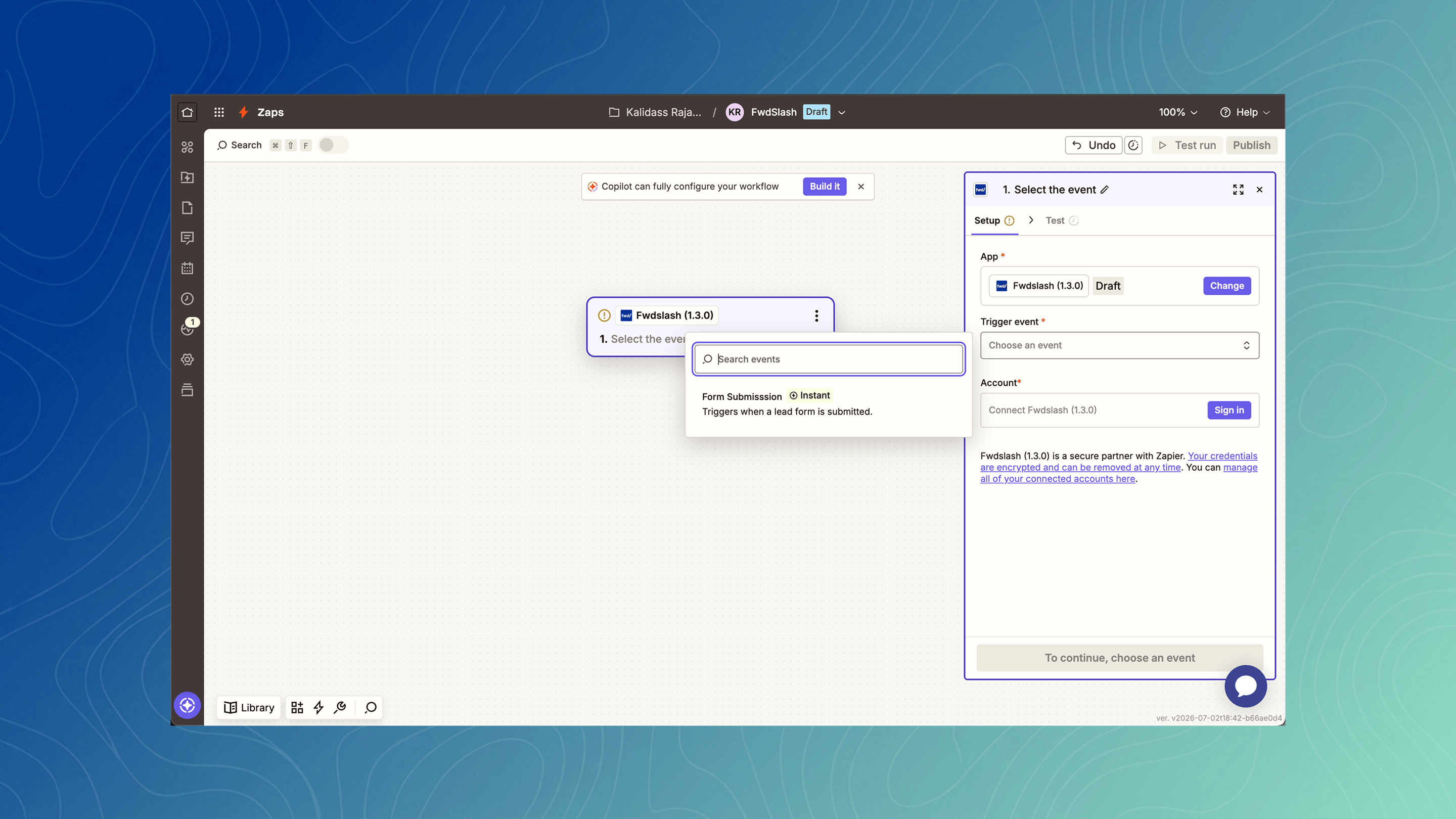
Form Submission
The Form Submission trigger starts a Zap whenever a visitor submits a form through your FwdSlash chatbot. Each trigger includes the information captured from the form, allowing you to send customer details to other applications automatically. Common use cases include:- Creating leads in your CRM.
- Adding contacts to your email marketing platform.
- Sending notifications to your team.
- Recording submissions in Google Sheets.
- Creating support or follow-up tasks.
Available Action
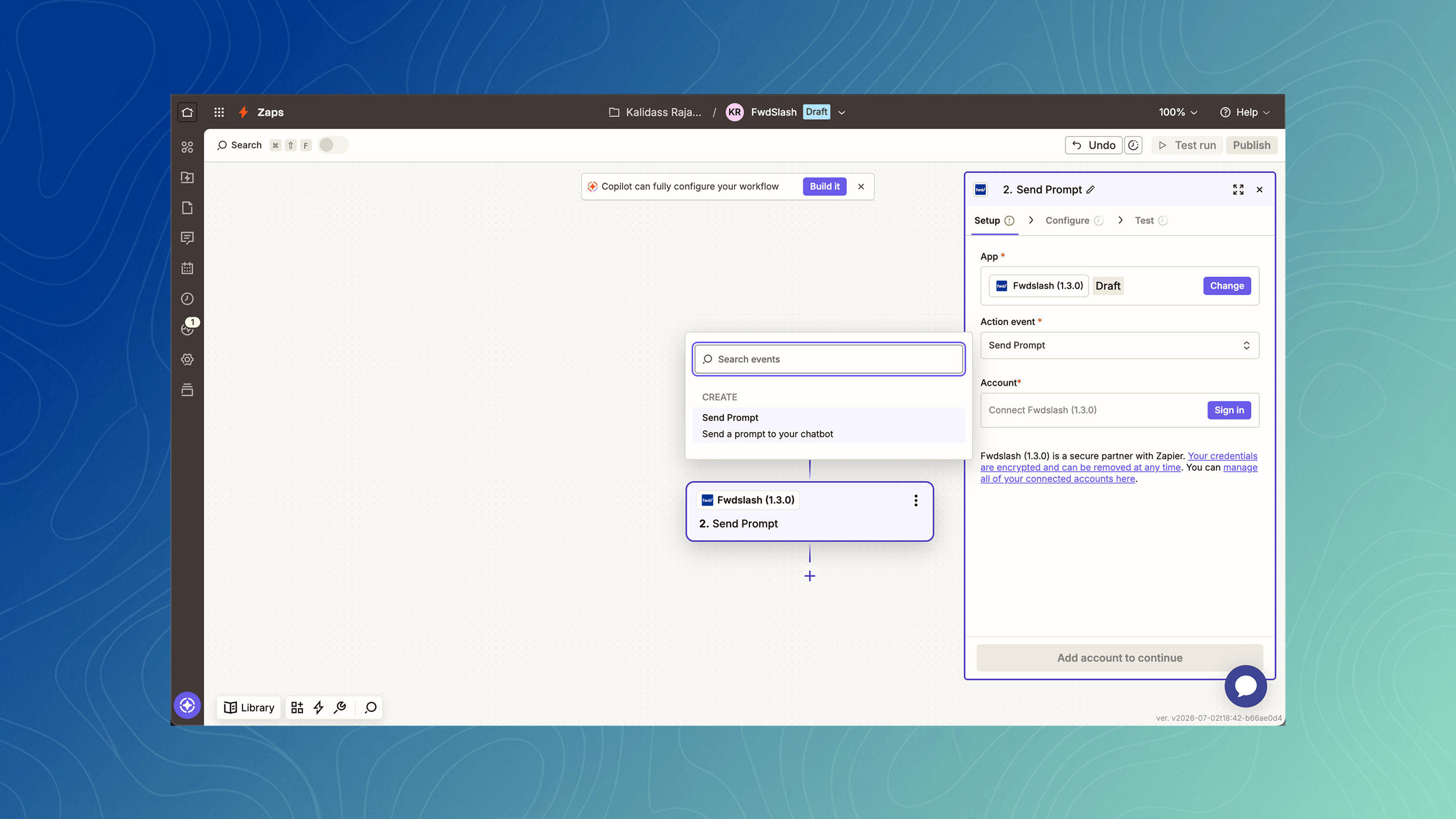
Send a Prompt to Chatbot
The Send a Prompt to Chatbot action allows external applications to send a prompt directly to a FwdSlash chatbot. This enables you to automate conversations based on events happening in other systems. For example, you can trigger AI conversations after a customer completes a purchase, submits a support request, updates a CRM record, or performs any action that can trigger a Zap.Popular workflows
Here are a few ways customers use Zapier with FwdSlash:- Send every chatbot form submission to your CRM.
- Notify your team in Slack whenever a new lead is captured.
- Save chatbot submissions to Google Sheets for reporting.
- Add new contacts to your email marketing platform.
- Trigger AI conversations based on events from other business applications.