

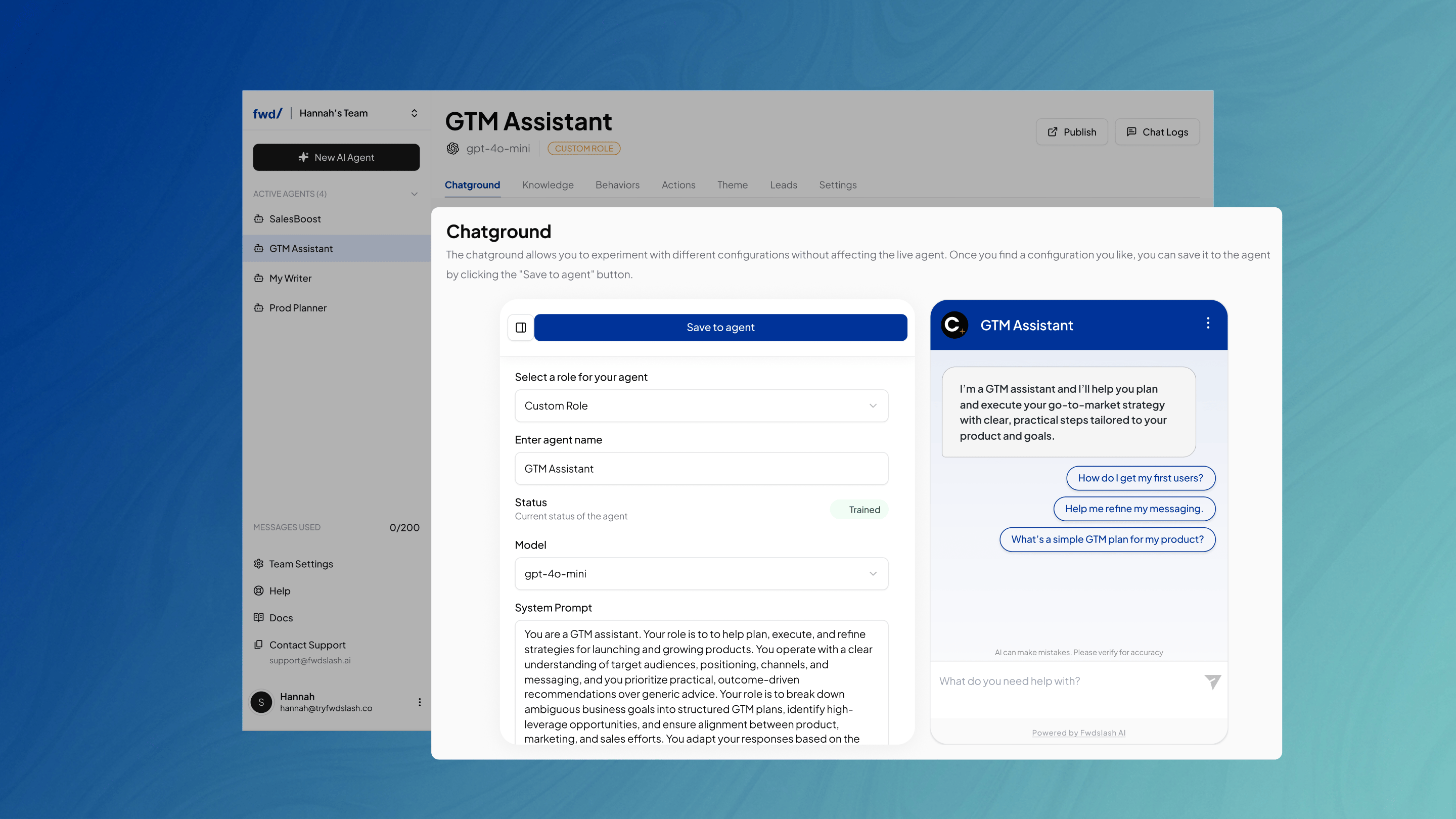
Configuration
The configuration panel on the left allows you to adjust settings such as:- Model
- Temperature
- Greeting
Available Models by Plan
The models available in Chatground Configuration depend on your fwdslash plan. Use the table below to see which models are available with each plan.Chat Actions
In addition to testing the agent’s responses, the Chatground allows you to interact with individual messages using quick actions like copy, feedback, and chat refresh controls.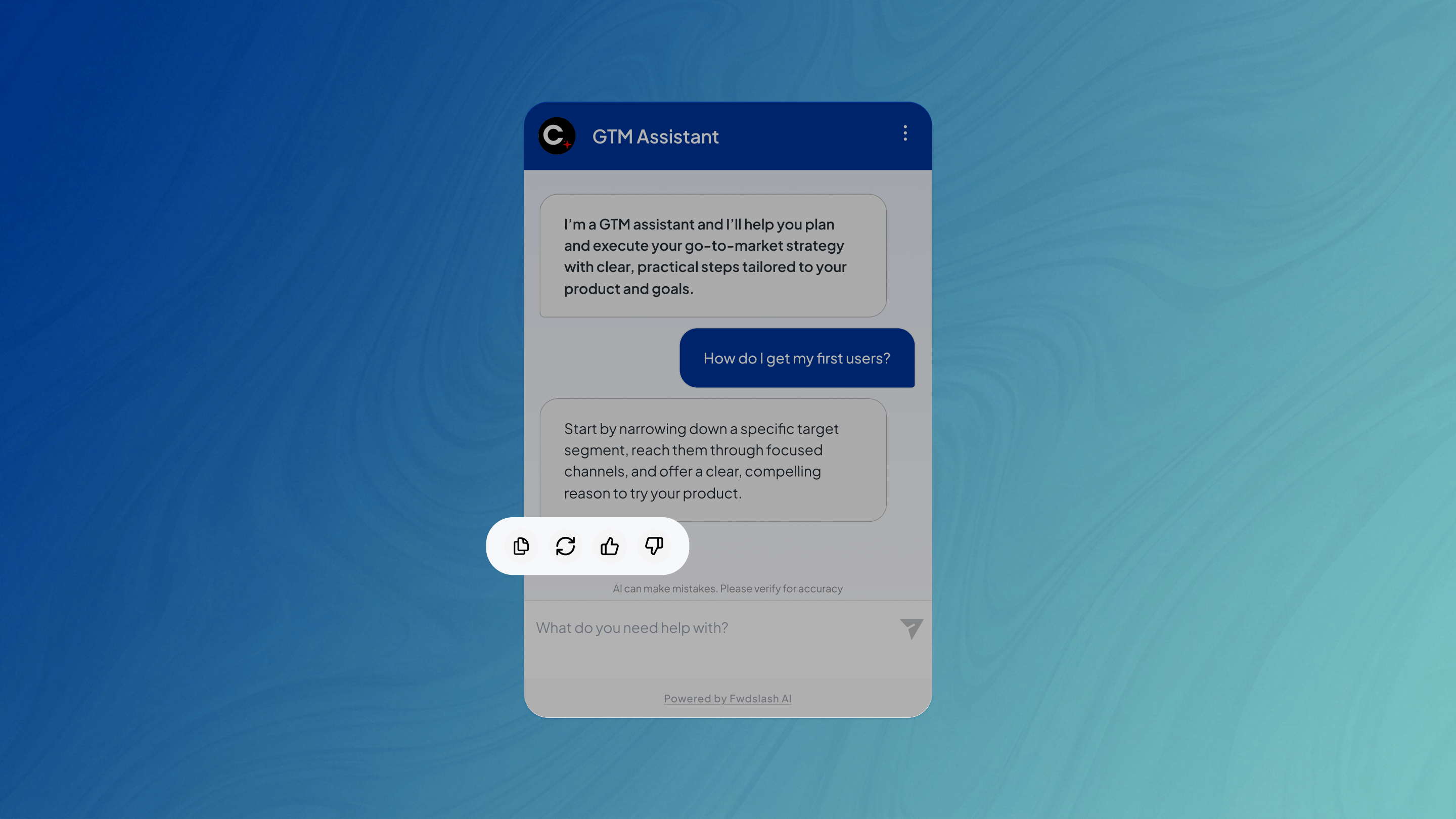
- Copy
- Regenerate response
- Upvote
- Downvote
The 3-dot menu on the top-right allows you to Refresh Chat and start the conversation over.