In the Behaviours page, you can define how your agent behaves during conversations, including lead capture flows and fallback or escalation handling.
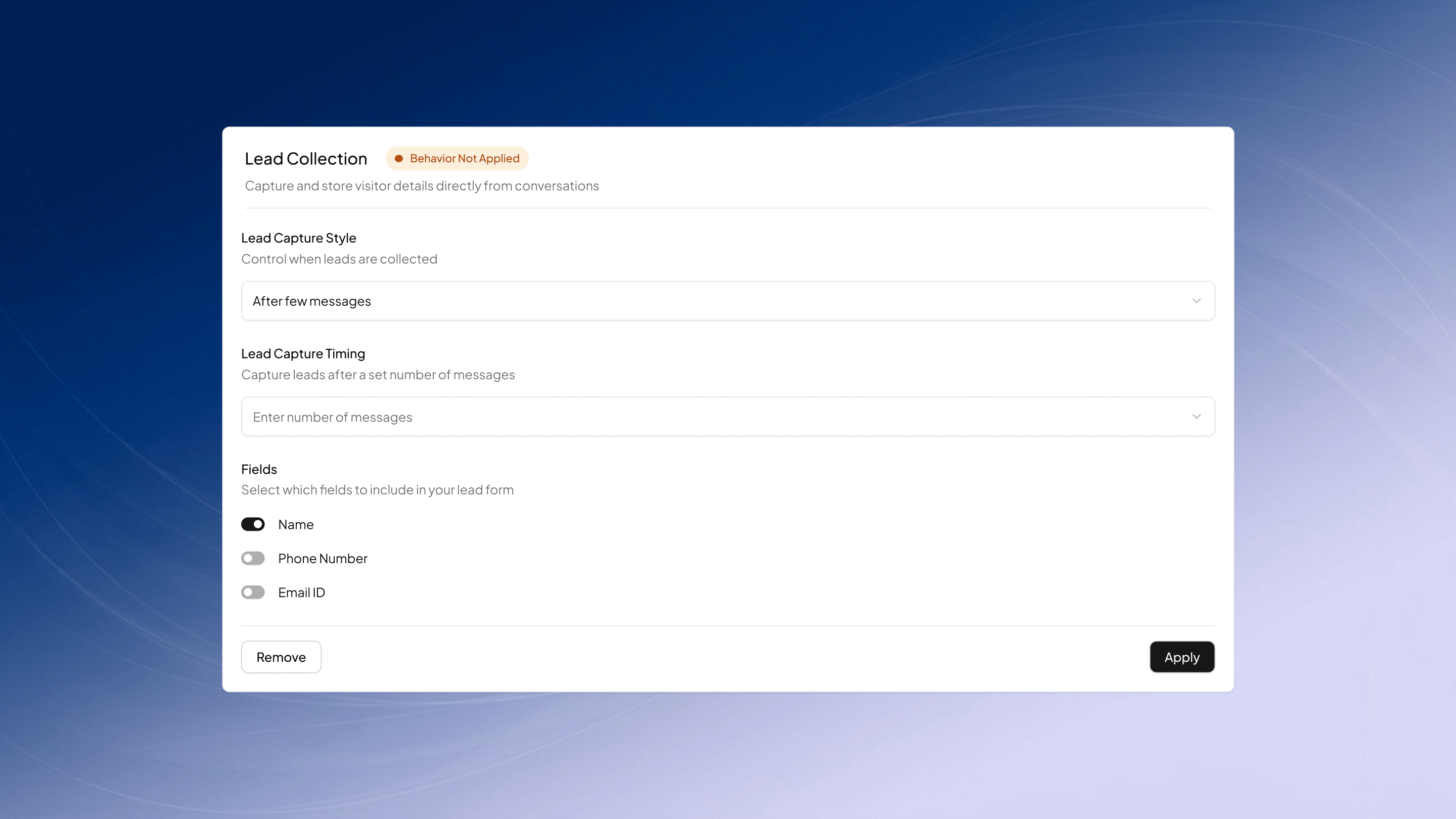
Lead Collection
Use this behaviour to set up when and how lead collection is triggered in agent conversations.Define conditions such as Lead Capture Style, or when leads are collected, either at the beginning or after a specific number of messages - configured under Lead Capture Timing.Choose which fields to capture from:
Name
Phone Number
Email ID
Click Apply to set up the behaviour, or Remove to disable it.
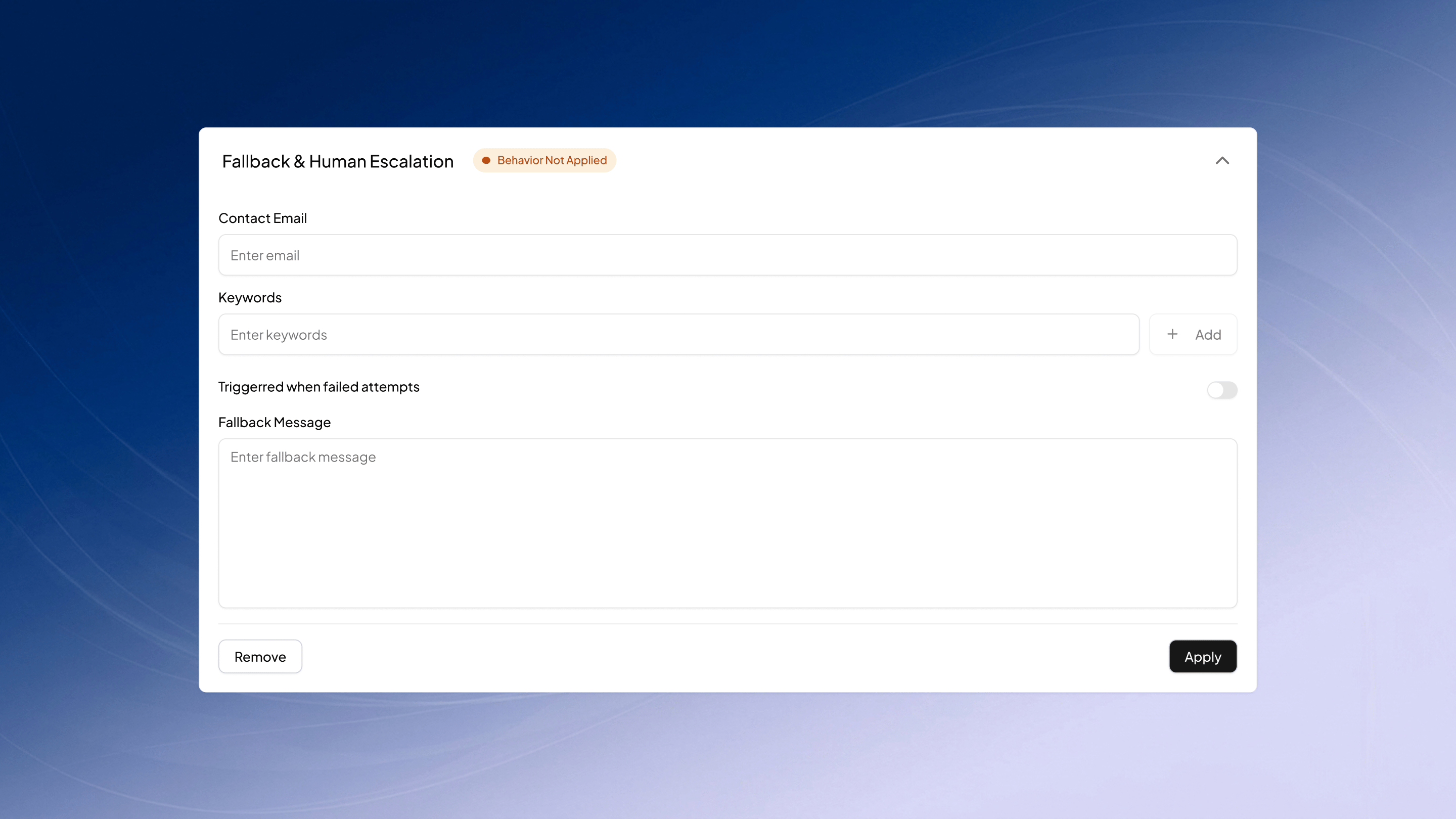
Fallback Responses
Use this behavior to configure fallback rules for the agent.You can add a contact email to be triggered in case of a fallback. Additionally, you can define conditions by specifying trigger keywords and providing a fallback message.Click Apply to set up the behaviour, or Remove to disable it.
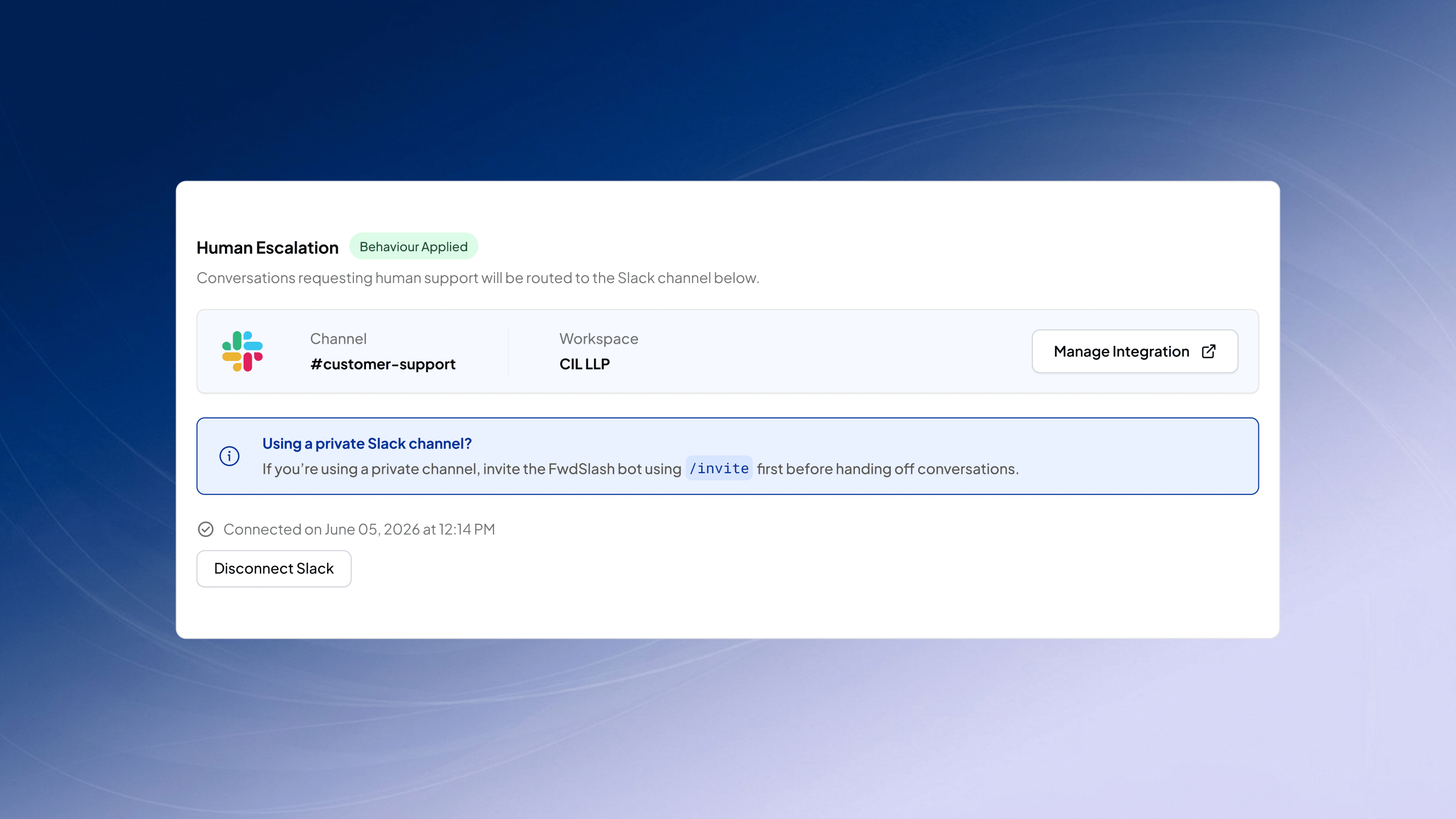
Human Escalation
Use this behaviour to set up Human Escalations.You can connect your Slack workspace and configure channels for the responses to go through when a human escalation is triggered. A human agent can join in on the live chat and respond to messages via the Slack channel.Click on manage integration to configure channels and disconnect Slack to disable ti
Now that your agent’s behavior is defined, you can get it to perform more complex tasks in the Actions page.