

Members
Under the Members tab, you can invite teammates to your workspace, track invitation status, and manage who has access to your team.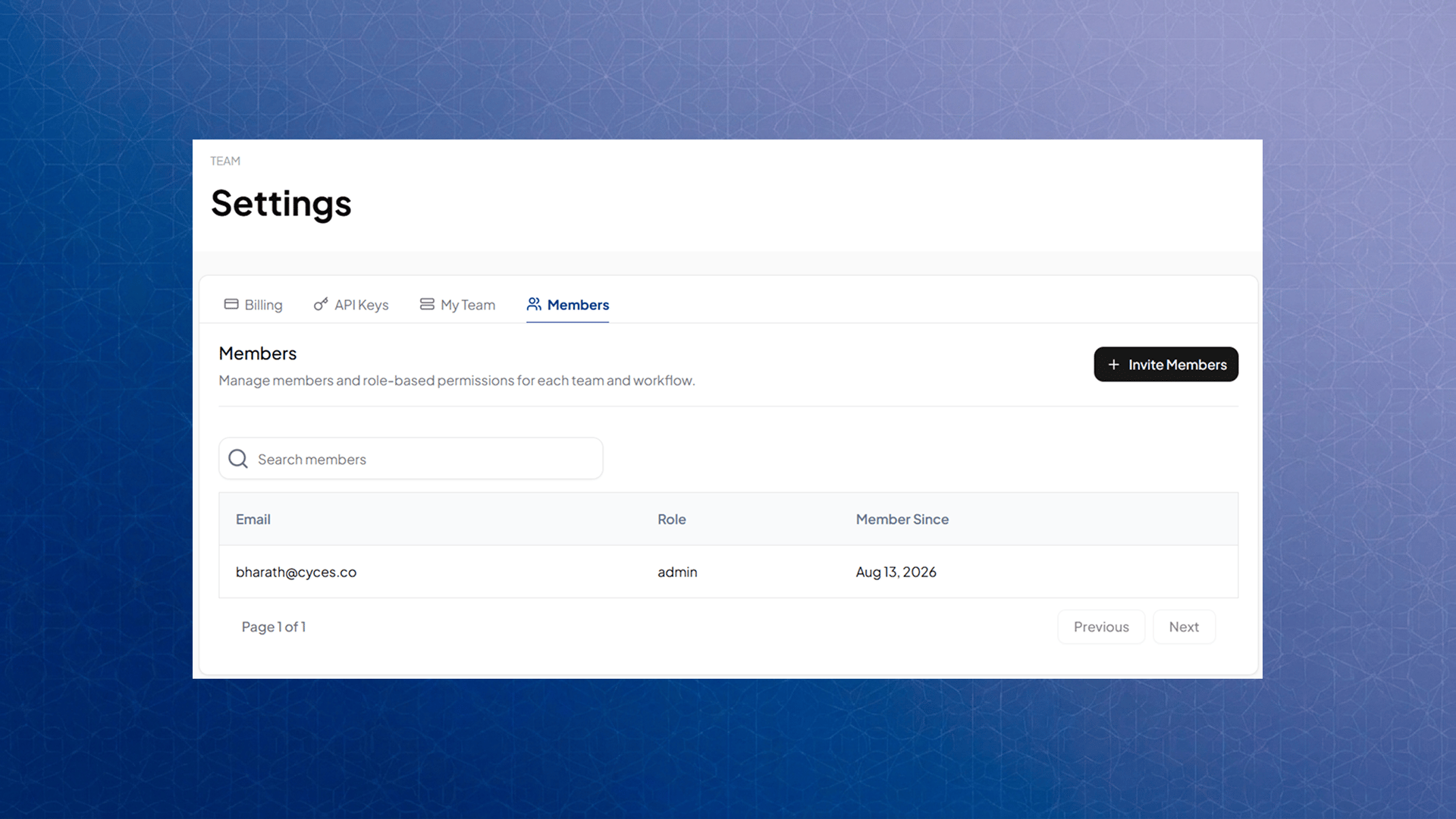
Inviting a member
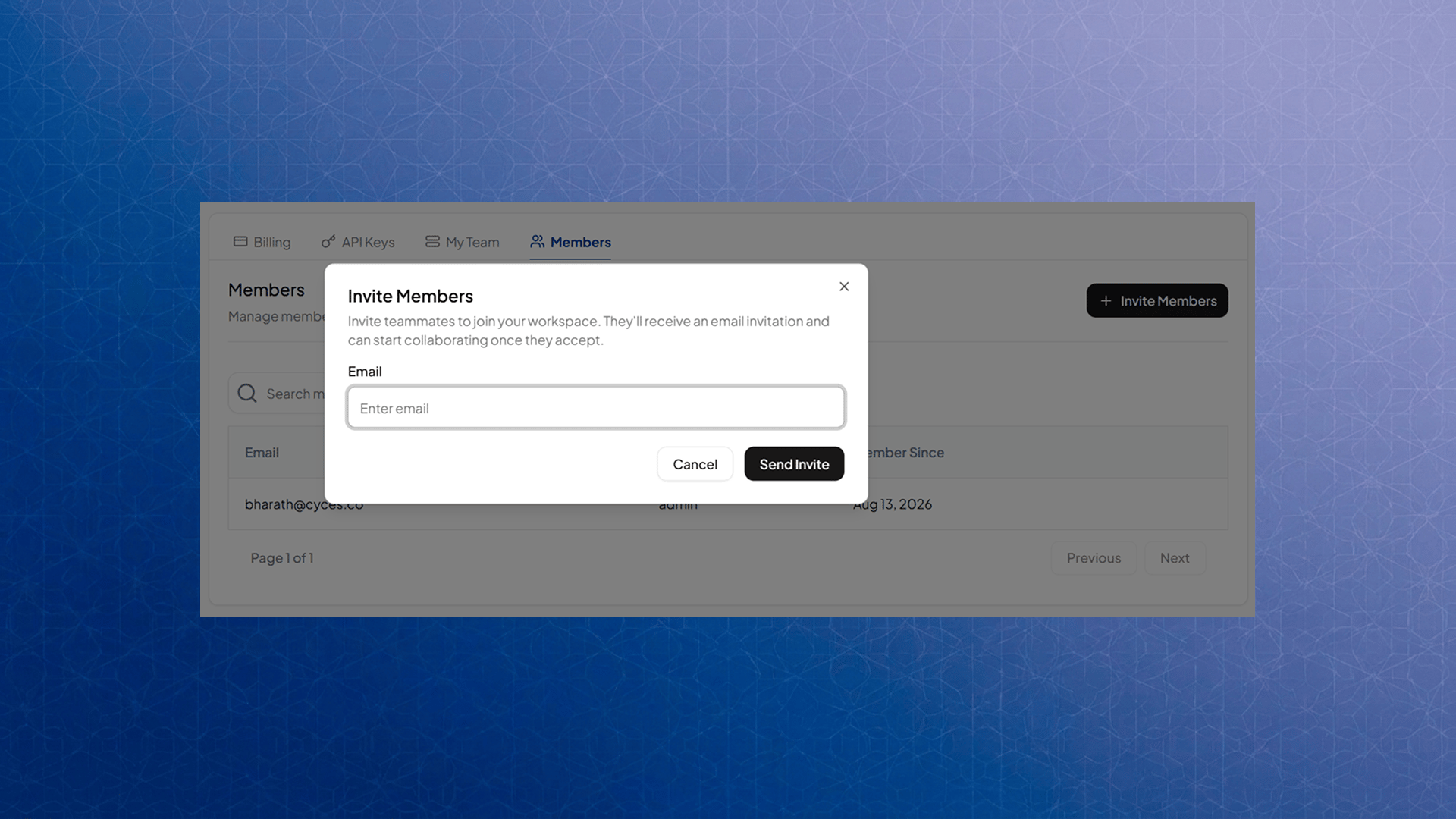
Only Admins can invite new members. Click Invite Member, enter the email address you want to invite, and click Send Invite.- Each invitation is valid for 7 days.
- The invited person receives an email with your team’s name, your name as the inviter, and a link to accept.
- If the email already belongs to someone on your team, or already has a pending invite waiting, you’ll be prompted to use Resend Invitation instead of sending a duplicate.
If the person you’re inviting already has a FwdSlash account, they don’t need to create a new one. They can accept directly from the invitation email, or find the pending invite waiting for them in the Team Switcher the next time they log in.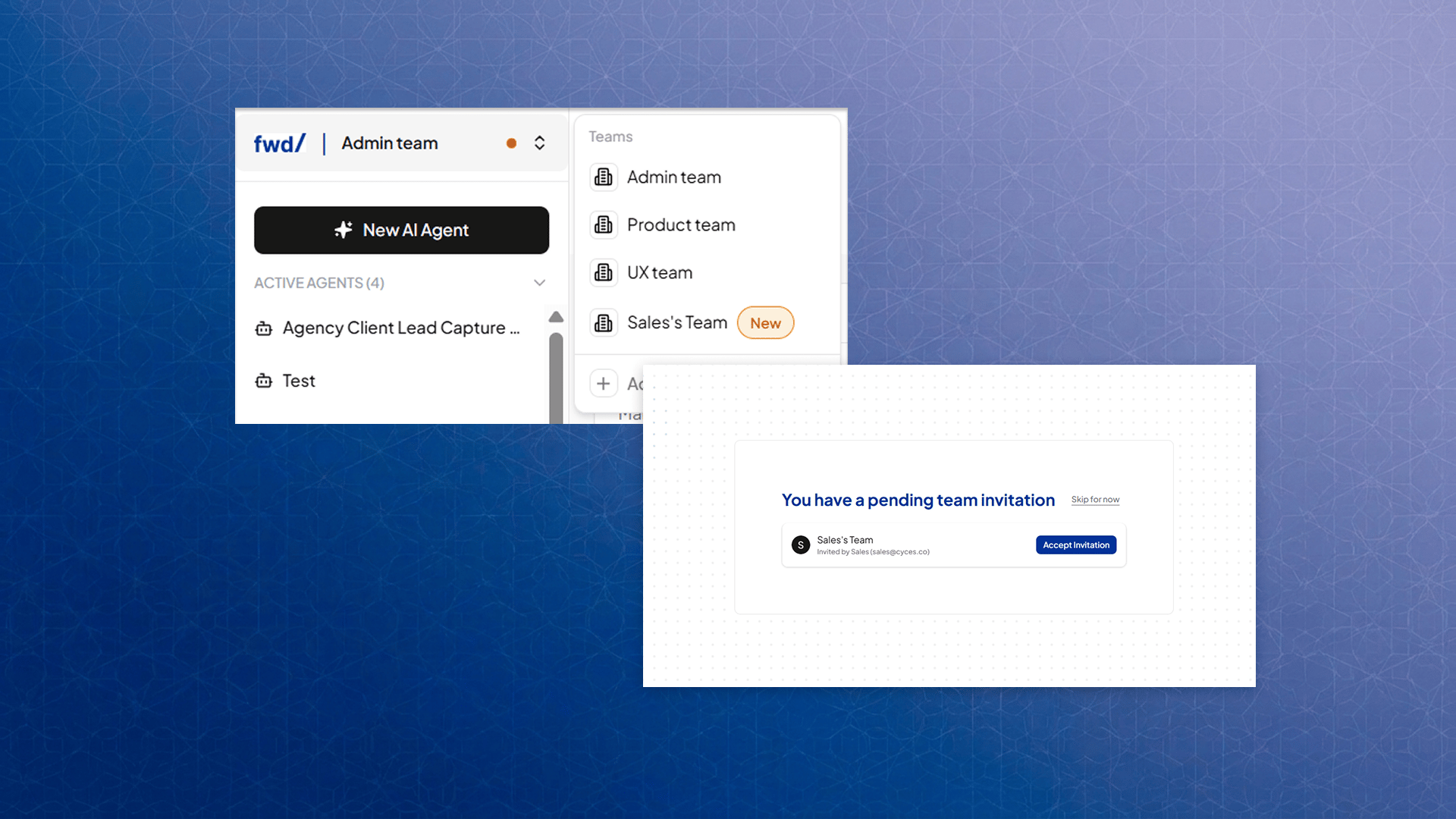
Member limits by plan
The number of members you can have, including pending invitations, depends on your plan:
Once your team reaches its plan’s limit, Invite Member is disabled until a slot frees up or you upgrade your plan.
Invitation status
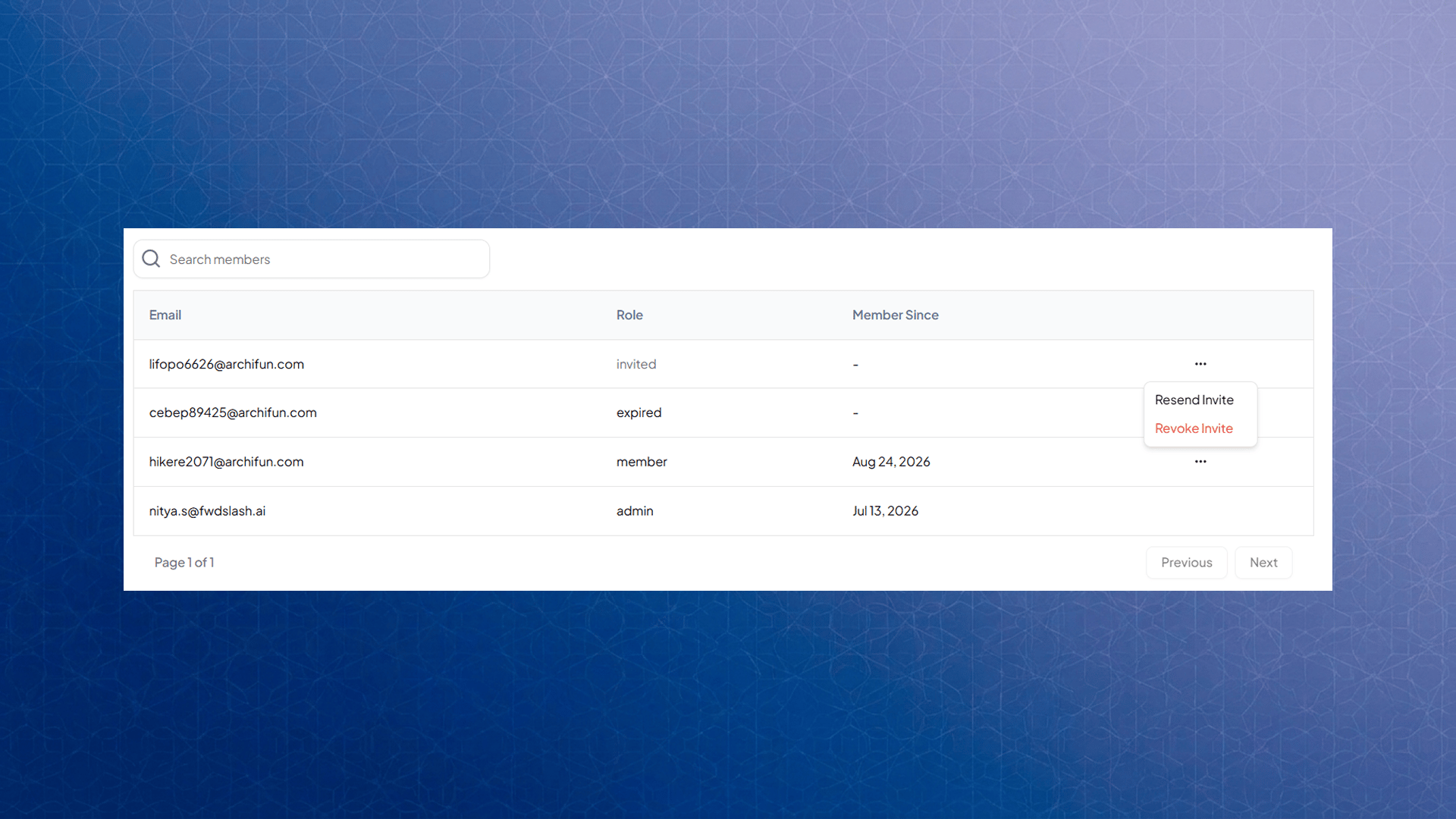
Each invitation shows its current status in the Members list:- Pending - sent, not yet accepted
- Member - accepted, now part of your team
- Expired - not accepted within 7 days
Removing a member
Admins can remove a member from the team at any time. Removing a member immediately frees up a slot in your plan’s member limit.Subscription
Under the Subscription tab, you can view your current plan, included features, add-ons, and renewal details. You can explore or upgrade plans from here.Pricing
FwdSlash offers tiered plans designed for different levels of usage, from getting started to scaling with larger teams. Each plan varies in limits such as number of agents, messages, storage, actions, and access to features like integrations, analytics, and API usage. Additional capabilities like removing branding, increasing message limits, or adding more agents can be purchased separately.To view information regarding the different plans, visit the Pricing page on our website.