> ## Documentation Index
> Fetch the complete documentation index at: https://docs.fwdslash.ai/llms.txt
> Use this file to discover all available pages before exploring further.
# NavBar
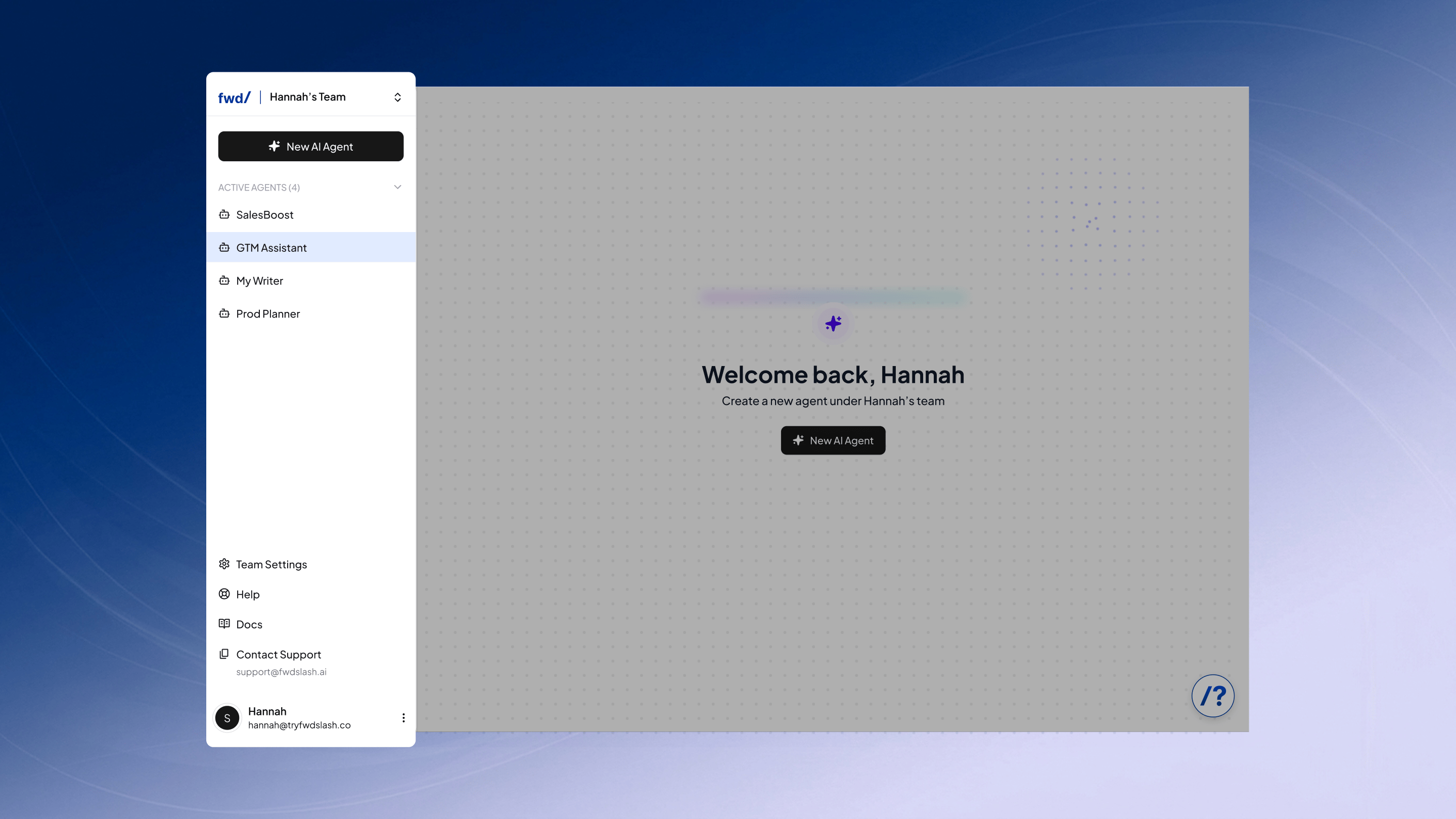
The navbar is the primary navigation panel used to switch between agents and teams, create new agents, and access account and support options.
## Team Management
Switch between teams or create new ones from the dropdown at the top. Limits remain tied to your account plan.
## Agents
View all agents within the selected team and create new ones. Plan limits may restrict how many can be active.
## Support
Access key resources and account-level settings in one place.
* Team Settings: Manage subscription, billing, and API access.
* Help: Open a guided, clickable walkthrough of the product.
* Docs: View detailed documentation about FwdSlash.
* Contact Support: Copy the support email to reach out directly.
## Account
Manage your account and log out from the profile section.
***
Now, you can go ahead and build a new agent by clicking **New AI Agent** from the navbar.
The navbar is the primary navigation panel used to switch between agents and teams, create new agents, and access account and support options.
## Team Management
Switch between teams or create new ones from the dropdown at the top. Limits remain tied to your account plan.
## Agents
View all agents within the selected team and create new ones. Plan limits may restrict how many can be active.
## Support
Access key resources and account-level settings in one place.
* Team Settings: Manage subscription, billing, and API access.
* Help: Open a guided, clickable walkthrough of the product.
* Docs: View detailed documentation about FwdSlash.
* Contact Support: Copy the support email to reach out directly.
## Account
Manage your account and log out from the profile section.
***
Now, you can go ahead and build a new agent by clicking **New AI Agent** from the navbar.