> ## Documentation Index
> Fetch the complete documentation index at: https://docs.fwdslash.ai/llms.txt
> Use this file to discover all available pages before exploring further.
# Profile Settings
The Profile page is where you manage your personal account details in FwdSlash. It's scoped to you as an individual user, not to your team and changes here follow you across every team and agent you belong to.
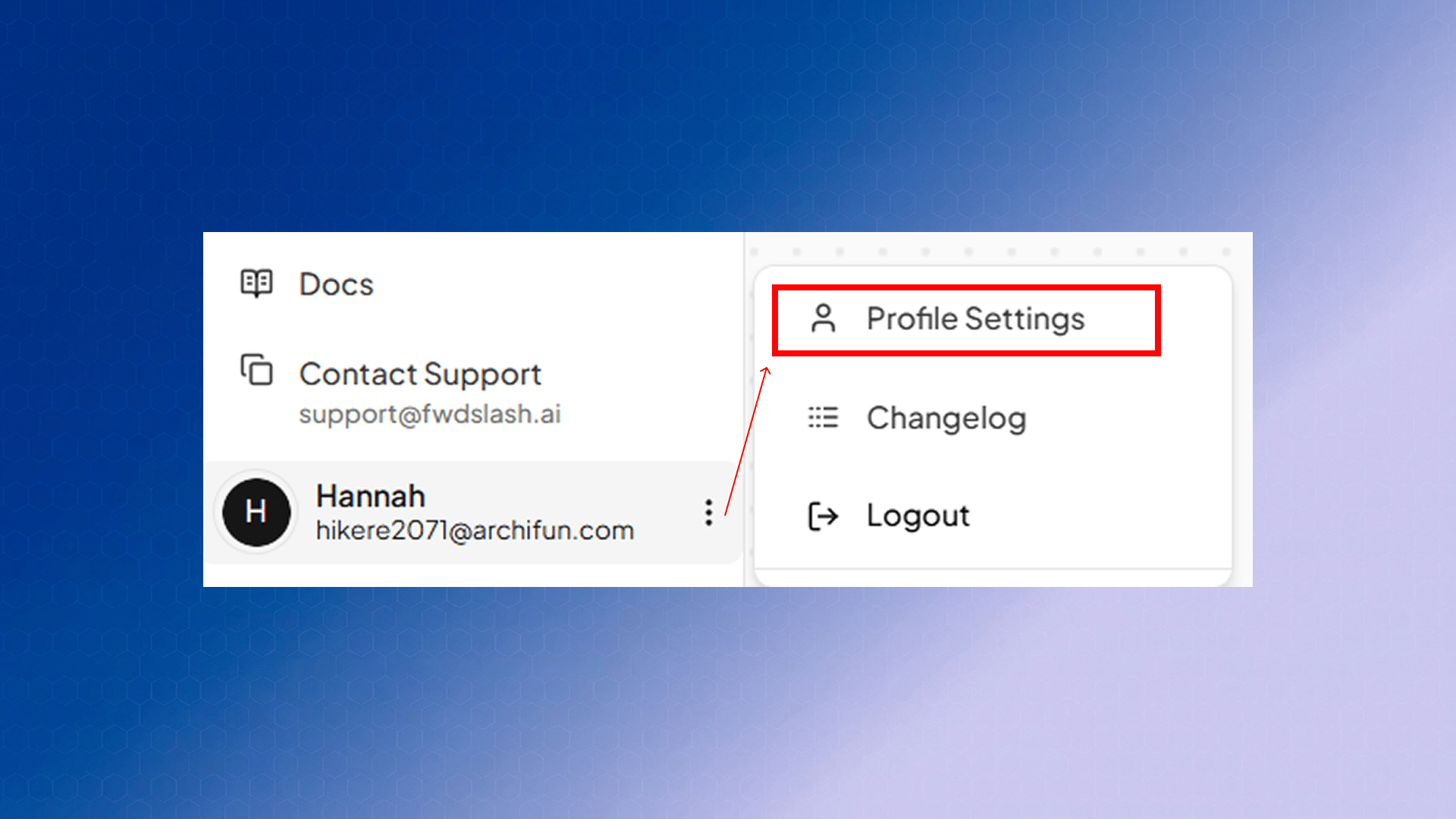
**Getting there:** click your name in the bottom-left corner of the sidebar, then select **Profile Settings**. The page opens at `/account/profile` under **Account Settings**, and the back arrow in the top-left returns you to your dashboard.
 ## Personal Information
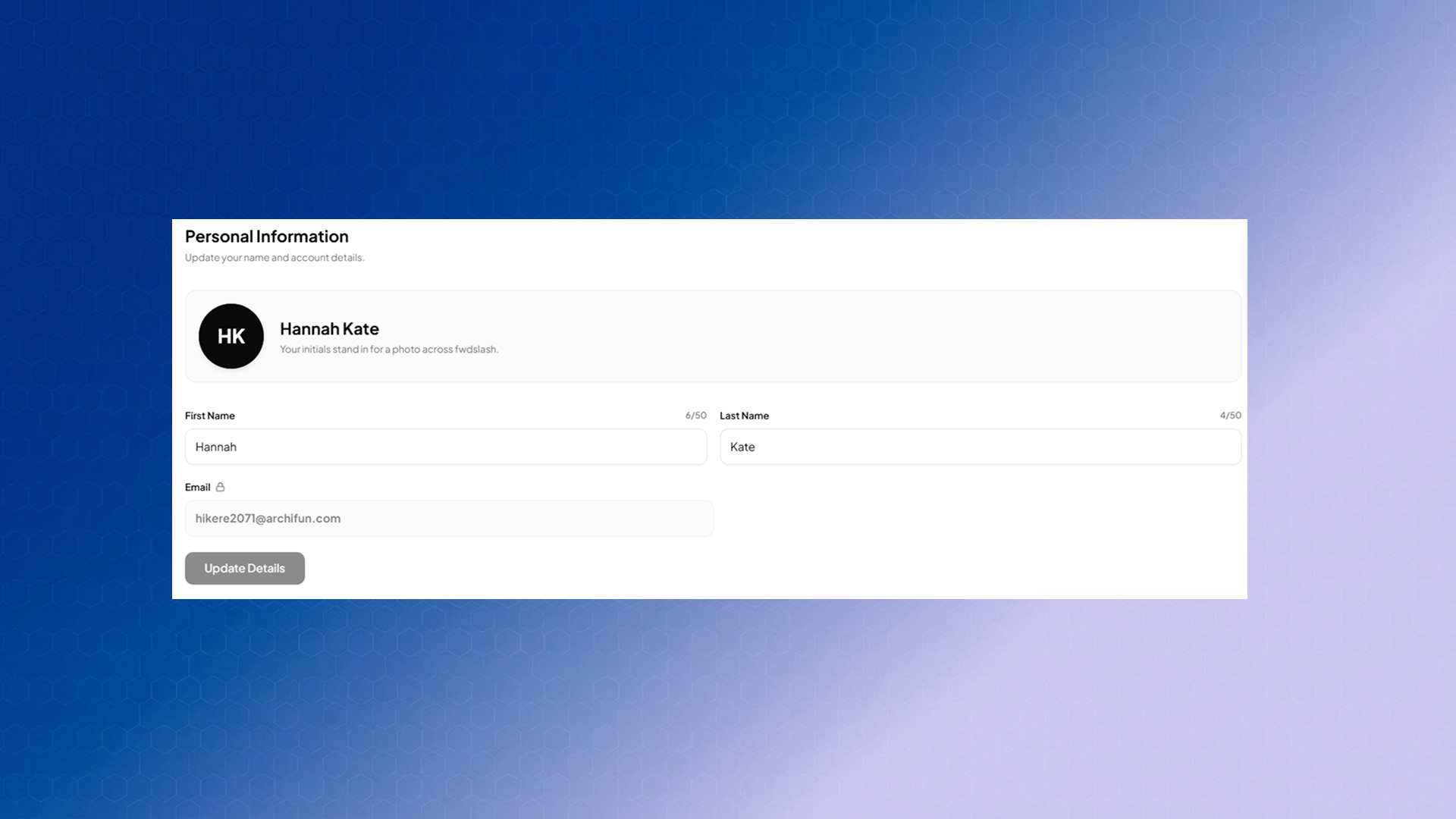 | Field | Use-Case |
| :--------- | :------------------------------------------------------------------------------------------------------------------------------------------------------------------------------------ |
| Avatar | FwdSlash generates an avatar from your first and last initials and uses it everywhere your account appears. It isn't uploadable, it updates automatically as you edit your name. |
| First Name | Your first name, up to 50 characters. |
| Last Name | Your last name, up to 50 characters. |
| Email | Your login address. It's shown for reference but locked, indicated by the padlock beside the label. Contact [support@fwdslash.ai](mailto:support@fwdslash.ai) if you need it changed. |
## Password & Security
| Field | Use-Case |
| :--------- | :------------------------------------------------------------------------------------------------------------------------------------------------------------------------------------ |
| Avatar | FwdSlash generates an avatar from your first and last initials and uses it everywhere your account appears. It isn't uploadable, it updates automatically as you edit your name. |
| First Name | Your first name, up to 50 characters. |
| Last Name | Your last name, up to 50 characters. |
| Email | Your login address. It's shown for reference but locked, indicated by the padlock beside the label. Contact [support@fwdslash.ai](mailto:support@fwdslash.ai) if you need it changed. |
## Password & Security
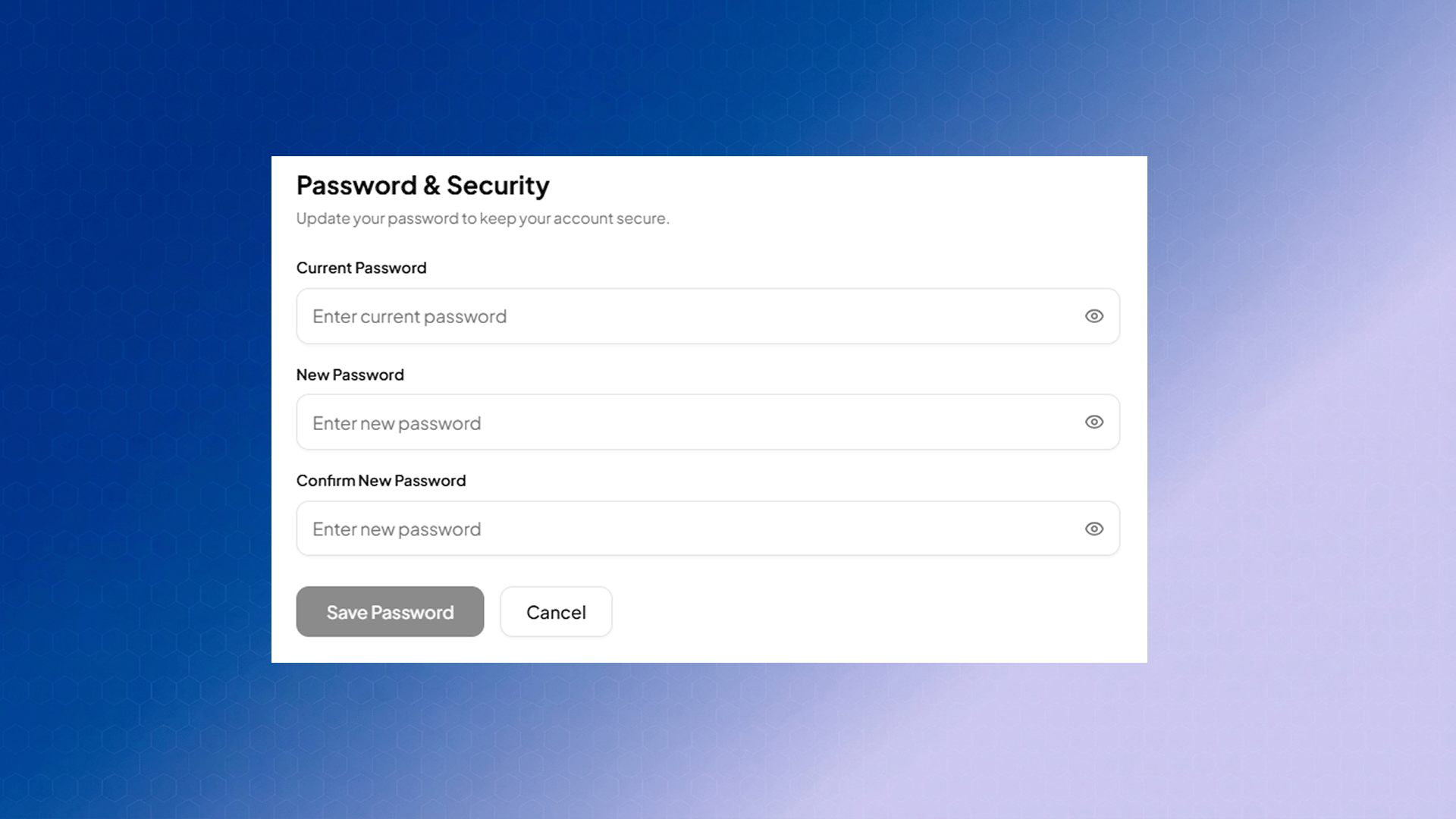 Click **Change Password** to expand the form inline. It asks for three values: Current Password, New Password and Confirm New Password.
Password must:
* be at least 8 characters long with atleast 1 letter, and
* include at least one uppercase letter, one lowercase letter,
* have one special character, and
* not contain any whitespace characters (such as spaces, tabs, or line breaks).
**NOTE**: Your email address cannot be edited from this page, and the avatar is always derived from your initials. If you need either changed, reach out to [support@fwdslash.ai](mailto:support@fwdslash.ai).
Click **Change Password** to expand the form inline. It asks for three values: Current Password, New Password and Confirm New Password.
Password must:
* be at least 8 characters long with atleast 1 letter, and
* include at least one uppercase letter, one lowercase letter,
* have one special character, and
* not contain any whitespace characters (such as spaces, tabs, or line breaks).
**NOTE**: Your email address cannot be edited from this page, and the avatar is always derived from your initials. If you need either changed, reach out to [support@fwdslash.ai](mailto:support@fwdslash.ai).