> ## Documentation Index
> Fetch the complete documentation index at: https://docs.fwdslash.ai/llms.txt
> Use this file to discover all available pages before exploring further.
# Chatground
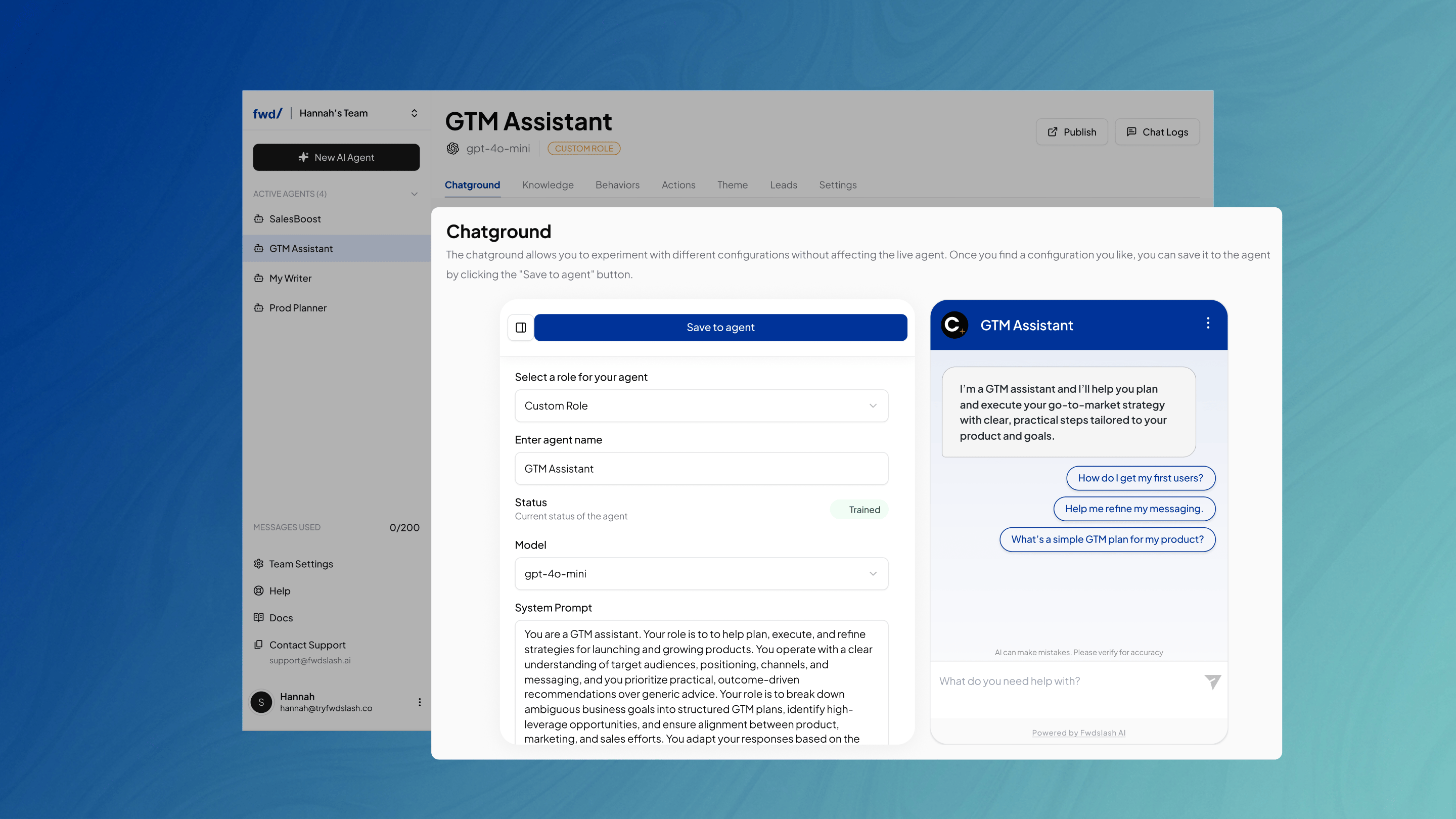
Chatground is your agent’s live testing environment. It lets you interact with your agent, test responses, and refine its behavior using real-time configuration controls.
 ## Configuration
The configuration panel on the left allows you to adjust settings such as:
* Model
* Temperature
* Greeting
After making changes, click Save to Agent and test the changes in real time in the Chatground beside it.
## Chat Actions
In addition to testing the agent's responses, the Chatground allows you to interact with individual messages using quick actions like copy, feedback, and chat refresh controls.
## Configuration
The configuration panel on the left allows you to adjust settings such as:
* Model
* Temperature
* Greeting
After making changes, click Save to Agent and test the changes in real time in the Chatground beside it.
## Chat Actions
In addition to testing the agent's responses, the Chatground allows you to interact with individual messages using quick actions like copy, feedback, and chat refresh controls.
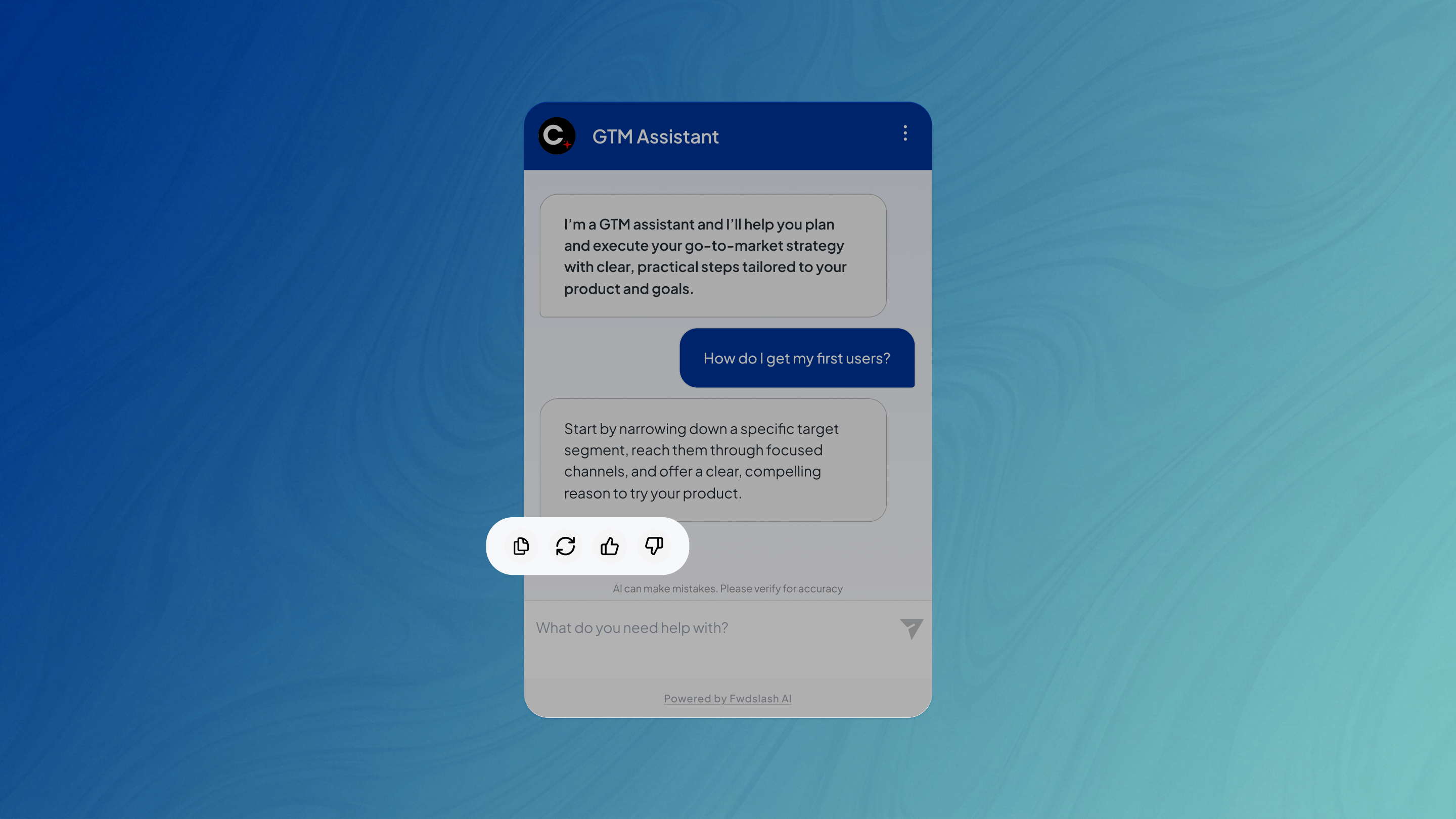 Depending on the options enabled in the Theme page, below each message, there are options to:
* Copy
* Regenerate response
* Upvote
* Downvote
The 3-dot menu on the top-right allows you to Refresh Chat and start the conversation over.
To improve responses further, you can update and expand the knowledge sources your agent uses, in the Knowledge page.
Depending on the options enabled in the Theme page, below each message, there are options to:
* Copy
* Regenerate response
* Upvote
* Downvote
The 3-dot menu on the top-right allows you to Refresh Chat and start the conversation over.
To improve responses further, you can update and expand the knowledge sources your agent uses, in the Knowledge page.